



Tag: David Talks

  • C-Suite Leaders, Is Your Cybersecurity Working? “Trust But Verify”

    C-Suite Leaders, Is Your Cybersecurity Working? “Trust But Verify”

    Many years ago at the beginning of my law enforcement career, a wise police chief that I worked for told me that before my intelligence unit acted on any intelligence we gathered we had to vet it with a second source. “Trust but verify.” I took the advice to heart, and that sage advice paid big dividends for me through the years.

    The idiom “Trust but verify” is most often associated with Ronald Reagan, the 40th President of the United States, and his approach to nuclear disarmament during the latter years of the Cold War. However, the phrase itself has earlier roots and has been used in various forms over the years.

    The Russian phrase “Доверяй, но проверяй” (Doverai, no proverai), which translates to “Trust, but verify” in English, is often cited as an inspiration for Reagan’s use of the phrase. Reagan famously used the idiom during negotiations with the Soviet Union in the 1980s, particularly in the context of the Intermediate-Range Nuclear Forces Treaty (INF Treaty), signed in 1987. He often repeated the phrase when discussing the importance of trust between the superpowers, while simultaneously emphasizing the need for rigorous inspections and monitoring to ensure both sides were complying with the terms of the treaty.

    The phrase has since become a widely recognized concept in diplomacy and negotiation, emphasizing the importance of trust but also the need for independent verification and transparency. It’s often used in contexts beyond diplomacy to emphasize the importance of verifying information or promises in various situations to ensure that they are accurate and reliable.

    C-Suite leaders should be applying “Trust But Verify” to their organization’s cybersecurity efforts.

    In today’s digital landscape, the responsibility for cybersecurity doesn’t solely rest upon the shoulders of IT departments and technical teams. Instead, it has rapidly ascended the corporate ladder, becoming an essential concern for the C-suite. As leaders and decision-makers, C-suite executives play a pivotal role in establishing, maintaining, and bolstering an organization’s cybersecurity posture. Why is this responsibility so crucial for top-tier executives?

    Holistic Organizational Vision: C-suite executives have a unique, bird’s-eye view of the organization, understanding its various components, goals, and vulnerabilities. They can ensure that cybersecurity initiatives are in alignment with the broader organizational strategy, making sure that resources are appropriately allocated, and that there’s a synergy between the business objectives and cybersecurity measures.

    Stakeholder Trust: Shareholders, partners, customers, and employees place their trust in organizations to protect sensitive data, whether it’s financial records, personal details, or intellectual property. Any breach can significantly erode that trust, causing both reputational damage and financial consequences. C-suite executives, as the face of the company, are integral in upholding and reinforcing this trust.

    Regulatory & Compliance Implications: With increasing scrutiny from regulators around the world, businesses face stringent cybersecurity compliance requirements. Non-compliance can lead to substantial fines, sanctions, and legal repercussions. Executives, especially the CEO and CFO, play a key role in ensuring that the organization adheres to these regulations, safeguarding not only the company’s reputation but also its bottom line.

    Fostering a Culture of Security: Organizational culture is often shaped from the top down. When C-suite executives prioritize cybersecurity, it sends a powerful message throughout the organization. It underscores the importance of safe digital practices, from the boardroom to the breakroom. Employees, in turn, become more vigilant, making them less susceptible to risks like phishing scams or careless data handling.

    Rapid Decision Making in Crisis: In the event of a breach or cyberattack, quick decisions are paramount. C-suite executives can mobilize resources, communicate with stakeholders, and guide the organization during such crises. Their involvement ensures a coordinated response, minimizing damage and expediting recovery.

    Financial Investment and Resource Allocation: Ensuring robust cybersecurity often requires significant financial investment—from deploying advanced tools and technologies to hiring top-tier talent. C-suite executives play a crucial role in allocating budgets, ensuring that the organization invests adequately in its digital defenses.

    Evolving Threat Landscape: The realm of cyber threats is dynamic, with new challenges emerging regularly. C-suite executives, with their broader market insights and strategic vision, can anticipate future challenges, guiding their teams to preemptively address these threats rather than merely reacting to them.

    This Morning’s “Trust But Verify” Moment

    If you are an executive responsible for the health and well-being of an organization, trust but verify should probably be a tool in your management toolbox. For example, here’s how I used “trust but verify” in the cybersecurity realm in my office this morning.

    Email is one of the most popular attack vectors for cyberattacks. If your email address is in the public domain, there is a hacker somewhere trying to gain access to your inbox. This morning, I asked our security operations center (SOC) personnel a simple question, “Who is trying to break into my email account today.” 

    My expectation wasn’t that they would be able to answer my question off the cuff, but that they would be able to assess my query and answer my question in less than an hour. It took them 7 minutes to assess who was trying to break into my account and tell me how they were being thwarted.

    This morning’s email hack attempts were coming from multiple Amsterdam-based computers connected to the global internet by way of an ISP known as Des Capital B.V. These computers were trying to brute force my account through our mail server’s web interface. My SOC staff estimates that it would take an average computer 3 tredecillion years to brute force my account password if it was given unfettered access to try. 3 tredecillion probably isn’t a number you are familiar with, I’ll type it out for you:

    3,000,000,000,000,000,000,000,000,000,000,000,000,000,000.

    Unfortunately for the would-be hackers, every computer IP address they threw at the task got 5 tries and then got blocked for a period of time. That makes brute forcing my email an almost impossible task. If they do get lucky and guess my password, then they’ll have to overcome the two-factor authentication that acts as an additional layer of protection.

    I spent about an hour engaged with my people to understand the answer to my query. They showed me in depth how it gets even worse for the would-be-hacker. The information we gathered from hacker behavior is shared with our cybersecurity partners as cybersecurity intelligence.

    We apply the same intelligence gathering and sharing process that I used in law enforcement to cybersecurity. When our SOC sees hacker behavior, it shares it with other SOCs and vice versa. Using the collective knowledge of our partners, we may block would-be hackers before they even try our infrastructure based on the knowledge they were attempting to break into someone else’s computers.

    That’s the kind of competent answer I was looking for and it gives me confidence that our cybersecurity staff are hard at work thwarting hackers. You don’t need to be a cybersecurity expert to ask your cybersecurity people pointed questions, to trust but verify.

    You do need some general knowledge of the behaviors and methods of hackers. And you can garner that knowledge with just a little bit of effort. Pay attention to cybersecurity matters and learn more about the field. The survival of your organization may depend on it.

    While my recent “trust but verify” query revolved around my email inbox’s security, it’s crucial to understand that this is just a drop in the vast ocean of cybersecurity. In the interconnected digital world we operate in, every point of contact, every device, every application can become a potential gateway for cyber adversaries. Email security is undeniably crucial, given its ubiquity in business communication, but there are numerous other facets that require equal, if not more, attention.

    For instance, network security focuses on safeguarding the integrity, confidentiality, and availability of data as it’s transferred across networks. Application security emphasizes ensuring the apps your business relies on daily are fortified against breaches. Endpoint security, on the other hand, is about securing end-user devices like computers and mobile devices. And let’s not forget about cloud security, given the accelerating shift towards cloud-based solutions in modern enterprises.

    As an executive, while you don’t need to be the expert on every nuanced aspect of cybersecurity, you should have a holistic understanding to effectively lead and question your teams. So, when engaging with your cybersecurity department, diversify your inquiries beyond email safety.

    Questions to Engage Your Cybersecurity Team Effectively

    Here are some pointed questions an executive might consider posing to their cybersecurity team to ensure a comprehensive security posture:

    Network Security: “How frequently do we monitor our network traffic, and what anomalies have we detected in the past quarter?”

    Application Security: “Are all our business-critical applications updated to their latest versions, and have we conducted recent penetration tests to identify vulnerabilities?”

    Endpoint Security: “Given the rise in remote working, how are we ensuring that every endpoint, especially personal devices, accessing our corporate network is secure?”

    Cloud Security: “As we transition to cloud-based solutions, what measures have we implemented to ensure the integrity and safety of our data off-premises?”

    Incident Response: “In the unfortunate event of a breach, what’s our protocol for containment, mitigation, and communication? Do we conduct regular drills to prepare?”

    User Training: “Considering that human error is a leading cause of breaches, how regularly are we training our staff on cybersecurity best practices?”

    Data Protection: “How are we ensuring compliance with data protection regulations, and how frequently do we audit our processes?”

    Asking such questions not only demonstrates your commitment to maintaining a secure digital environment but also challenges your cybersecurity team to remain on their toes, fostering a culture of continuous improvement and vigilance. Remember, in the rapidly evolving landscape of cyber threats, proactive engagement and consistent learning are your best allies.
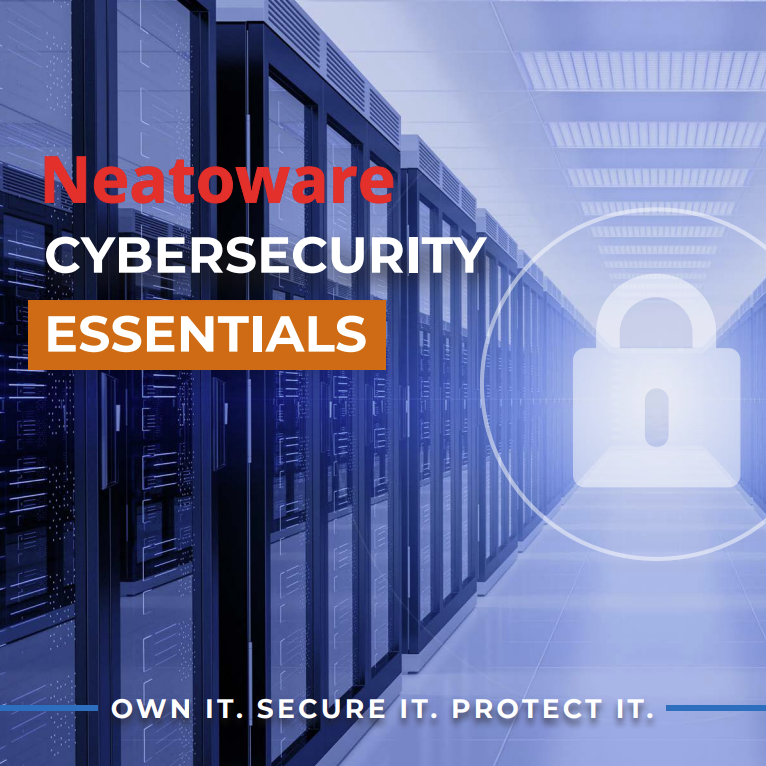
    Cover of the Neatoware Cybersecurity Essentials booklet

    If you have no starting point for asking cybersecurity questions of your staff, download our Cybersecurity Essentials book. It’s free. If I was starting from zero, I would want my cybersecurity charges to assure me that we had at least deployed the CIS IG1 security controls. We explain all about the CIS controls beginning on page 17. Stay safe! If your organization needs help with your cybersecurity, get in touch….

    Image by Mohamed Hassan from Pixabay

    Disclosure: I am the owner and founder of Neatoware LLC, the managed IT and cybersecurity company mentioned in this article.


  • Data Backup Demystified: Safeguarding Your Digital Treasures in an Uncertain World

    Data Backup Demystified: Safeguarding Your Digital Treasures in an Uncertain World

    In today’s digital era, data holds immense importance for both businesses and individuals. From essential work documents to cherished family photos, losing data can be a devastating experience. That’s why data backup isn’t just a good idea; it’s an essential practice for anyone who values their digital possessions. This week, we’ll explore the best ways to safeguard your data through backup, ensuring it remains secure and recoverable, even in the face of unexpected disasters.

    Understanding Data Backup

    Data backup is the process of making copies of your data and storing them safely to recover them if the original data is lost or compromised. It’s a crucial part of managing your data, offering protection against various threats, including hardware failures, software issues, human errors, and malware attacks.

    Best Practices for Data Backup

    Create Regular Backups: The frequency of your backups depends on how much data you’re willing to lose. Do you want to protect data from the last hour, day, week, or another timespan? Back up as often as needed to stay within your acceptable data loss limits.

    Use Multiple Backup Methods: Relying on a single backup method is risky. For instance, in the 911 Centers we manage, we use various methods, such as replicating primary servers continuously, taking file backups hourly, and creating image backups weekly.

    Store Backups in Multiple Secure Locations: Keep your backups in safe places, away from potential threats like fire, flood, or theft. For example, for our clients we maintain at least three copies of critical records, with at least one off-site in a highly reliable data center.

    We often refer to this as a 3-2-1 backup strategy. The 3-2-1 backup strategy simply stated: you should have 3 copies of your data, your production data and 2 backup copies, on different media with one copy off-site for disaster recovery.

    Test Your Backups: Regularly test your backups to ensure they function correctly and that you can recover your data when needed.

    By adhering to these best practices, you can protect your data from a range of threats and ensure you can recover it if it’s ever lost or damaged.

    Additional Tips for Data Backup

    Prioritize Security: Protect your backup files with strong encryption and access controls. Only authorized individuals should have access, and consider implementing two-factor authentication for added security.

    Have a Disaster Recovery Plan: Be prepared for disasters with a recovery plan outlining how you’ll regain access to your data in emergencies.

    Classify Your Data: Not all data is equally important. Categorize your data by importance and sensitivity, applying different backup strategies accordingly.

    Choose Versioning: Opt for backup solutions that offer versioning, allowing you to access and restore previous file versions, which can be a lifesaver in case of accidental data corruption or changes.

    Keep Software Updated: Ensure the backup software and tools you use are regularly updated to address security vulnerabilities and compatibility issues. Outdated software can jeopardize the integrity of your backups.

    Top Data Backup Solutions

    For those who are on the lookout for effective data backup tools, here are some leading contenders:

    Acronis True Image: Known for its comprehensive coverage, this tool offers cloud backups, local backups, and an impressive suite of security features.

    Carbonite: A cloud-focused solution, it’s excellent for automated backups. With easy-to-use interfaces, it’s perfect for both beginners and pros.

    Backblaze: Famed for its unlimited cloud backup capabilities, it’s straightforward with a one-size-fits-all approach—great for those who prefer simplicity.

    CrashPlan: Aimed at businesses, it offers continuous backups and retains deleted files indefinitely—a boon for enterprises.

    Neatoware Managed Backup: Aimed at organizations that want someone to manage the entire backup process for them, Neatoware Backup is a managed service offering that provides all the features of the major backup solutions coupled with white glove managed service that monitors your backups and ensures they are successful.

    Whatever your backup needs, there’s a tool out there waiting for you. Take that first step and fortify your digital realm. Because in today’s age, data loss isn’t just an inconvenience—it’s a chapter of your life you’d rather not lose.

    By following these best practices and avoiding common mistakes, you can ensure the protection of your data. Remember that data backup isn’t limited to IT professionals; it’s an essential aspect of digital safety and security for everyone. By following these guidelines, you can safeguard your valuable data, ensuring it remains accessible and intact even when unexpected challenges arise. Keep in mind that it’s not a matter of if a data disaster will occur, but when. So, be prepared, be diligent, and safeguard what matters most.

    If you need resources to help you manage your data backups, get in touch. We offer a managed backup service that we will tailor to your specific requirements, following the best practices outlined above.

    Disclosure: I am the owner and founder of Neatoware LLC, the managed IT and cybersecurity company mentioned in this article.

  • Let’s Talk About the Serious Vulnerability on Your Computer and Phone: Libwebp

    Let’s Talk About the Serious Vulnerability on Your Computer and Phone: Libwebp

    Researchers recently discovered a serious vulnerability in software that is found on millions of computers, tablets, and phones. This software, known as libwebp, is guaranteed to be on your devices. It’s one more vulnerability on the long list of vulnerabilities that could exist on your devices.

    The vulnerability came to light when it allowed hackers to infect a fully patched iPhone running iOS 16.6 belonging to a Washington DC-based organization with Pegasus, sophisticated spyware developed by the Israeli cyber-arms company NSO Group.

    Libwebp is a software library used for encoding and decoding WebP images. In the simplest of terms, libwebp delivers a new way to compress images that can make them smaller without losing quality. This is useful for saving space on your computer or for sending images over the internet. Libwebp is used by a wide variety of applications, including web browsers, image editors, video editors, and game engines. It is also used by many popular websites.

    Libwebp is found in the world’s most prolific software applications, to include some applications that are certainly on your devices, like:

    • Web browsers: Chrome, Firefox, Edge, Safari, Opera, Brave, Vivaldi, Chromium
    • Image editors: GIMP, Inkscape, Photoshop, Affinity Photo, Pixelmator Pro
    • Video editors: DaVinci Resolve, Adobe Premiere Pro, Final Cut Pro, HitFilm Express
    • Graphic design software: Adobe Illustrator, Sketch, Affinity Designer, CorelDRAW
    • Office suites: LibreOffice, OpenOffice, Microsoft Office
    • Productivity software: Slack, Discord, Telegram, WhatsApp
    • Game engines: Unity, Unreal Engine, Godot
    • Many other applications, including cross-platform apps built with Flutter, an open-source UI software development kit created by Google. Flutter is used to develop cross platform applications from a single codebase for Android, iOS, Linux, macOS, and Windows based devices.

    Unfortunately, the libwebp library contains a serious security flaw that can be exploited to execute arbitrary code on your devices. This could allow an attacker to take control of your devices, install malware, and steal or ransom your sensitive data.

    The vulnerability is caused by an integer overflow in the libwebp library. An integer overflow is a type of programming error that occurs when a mathematical operation results in a value that is too large to be stored in the computer’s memory. This can cause the program to crash or behave unexpectedly. In the case of the libwebp vulnerability, the integer overflow can be exploited to cause the libwebp library to execute arbitrary code.

    I don’t want to get too far off into the technical weeds, it suffices to say that if ever there was a moment in computing history where it was important to update all your software and patch vulnerabilities, this is that moment. In addition to updating your stuff, deploy a defense in depth strategy.

    A defense in depth strategy is a cybersecurity approach that uses multiple layers of security to protect your devices and data from attack. This means that even if one layer of security is compromised, there are still other layers in place to protect you.

    Here is a simple analogy to help you understand defense in depth:

    Imagine you are building a house to protect yourself from burglars. You could build a sturdy door and lock it, but that wouldn’t be enough to stop a determined burglar. So you might also install windows with locks, a security system, and motion sensor lights.

    This is a defense in depth strategy. Because you have multiple layers of security in place, it is much more difficult for a burglar to break into your house.

    The same principle can be applied to cybersecurity. By using multiple layers of security, you can make it much more difficult for attackers to compromise your computer and data.

    If you are one of our managed service customers, we deploy a defense in depth strategy for you: we are updating your stuff and we are hunting for hackers that may utilize zero day vulnerabilities. If you aren’t one of our managed services customers, download our cybersecurity essentials playbook and learn how to protect your stuff. Of course, if you need help hardening your information technology, we are ready to help – get in touch….

  • Is your personal information being sold by hackers on the Dark Web?

    Is your personal information being sold by hackers on the Dark Web?

    In today’s digital age, the security of your data is of paramount importance. With the ever-evolving landscape of data breaches and identity theft, staying one step ahead of malicious actors has become a necessity. One tool in this battle is Dark Web Search. In this article, we will explore how you can use a Dark Web search to help you identify compromised passwords and accounts, enabling you to thwart cybercriminals and safeguard sensitive data.

    The Hidden World of the Dark Web

    The Dark Web is a hidden part of the internet that can’t be found with regular search engines. It is a haven for cybercriminals, where illegal activities thrive, and stolen data often finds its way onto the market. Within this clandestine realm, hackers and malicious actors buy and sell compromised personal information like stolen credit card numbers, social security numbers, medical records, and access to compromised accounts. This underground marketplace poses a significant threat to individuals and organizations of all sizes.

    Dark Web searching is a powerful tool that combs through the hidden layers of the internet, monitoring for signs of stolen credentials being offered for sale. These searches use advanced algorithms to search for specific patterns and keywords related to your data, allowing them to detect potential breaches. Dark Web searching allows you to be proactive in identifying potential threats. By staying one step ahead, you can protect your sensitive information effectively.

    Check Whether Your Information Was in a Breach

    Want to know if your information has turned up in a known data breach? Our Breach Check page links to two free checks from Have I Been Pwned, an independent service that tracks data exposed in known breaches. One shows which known breaches include your email address. The other shows whether a password appears in known breach data. Both checks run on Have I Been Pwned’s own site, so we don’t see what you enter or your results.

    In an era where cyber threats are on the rise, you must adopt proactive measures to protect data and maintain security. Dark Web Search provides an invaluable tool for identifying compromised passwords and accounts. By staying vigilant in the hidden world of the Dark Web, you can thwart cybercriminals and safeguard sensitive data. In the ever-escalating battle against cyber threats, Dark Web Search is a valuable asset in your defense strategy. If this has piqued your interest and you want to conduct more advanced assessments of where your data may appear on the Dark Web, get in touch.

    Image by Egonetix_xyz from Pixabay

    Disclosure: I am the owner and founder of Neatoware LLC, the managed IT and cybersecurity company mentioned in this article.

  • Computer Updates: A Necessity in an Age of Digital Threats

    Computer Updates: A Necessity in an Age of Digital Threats

    In today’s interconnected digital world, our computers and devices have transcended their roles as mere tools, evolving into secure vaults safeguarding an array of sensitive information. From treasured personal memories captured in photos to the confidential financial records and vital business documents, our digital treasure troves house our lives. However, this era of constant connectivity also ushers in a persistent threat landscape where data breaches loom large. It is in this precarious digital landscape that the importance of regularly installing software updates shines with unparalleled significance.

    The Alarming Costs and Consequences of Gaps in Vulnerability Response

    Before we delve into the pivotal role of software updates, let’s confront a chilling reality. Major data breaches continually dominate news headlines, with nearly 48% of organizations reporting breaches in the past two years. As the volume and severity of cyberattacks surge, the race to outpace attackers becomes increasingly frenzied. It’s an arms race that cybersecurity teams, despite their dedication, often struggle to keep up with. The need of the hour is the right arsenal of tools and strategies to detect and patch vulnerabilities swiftly and effectively.

    Here’s the shocking truth according to a Ponemon Institute Vulnerability Survey:

    • A staggering 60% of breach victims confessed that their downfall was due to an unpatched known vulnerability. In many instances, these vulnerabilities had patches readily available, yet they remained unapplied like an unlocked gate in the fortress of digital security.
    • Equally concerning is the revelation that 62% of organizations were blissfully unaware of their vulnerability until after a data breach had wreaked havoc. This lack of awareness is a dangerous chink in the armor of cybersecurity.
    • Furthermore, a significant 52% of respondents admitted that their organizations were at a disadvantage in responding to vulnerabilities because they relied on manual processes in an environment where speed is of the essence.

    Why Prioritizing Updates Matters

    Amidst this tumultuous digital landscape, the significance of software updates becomes crystal clear. They are not just about improving user experience or introducing new features. They serve as the bedrock of our digital security infrastructure, fortified with vital security patches to seal the cracks that cyber threats seek to exploit.

    Consider these compelling reasons why regularly installing software updates is not a mere task but a digital lifeblood:

    1. Enhanced Security: Security patches are unsung heroes, standing guard against the invisible threats lurking in the digital shadows. By embracing software updates, you reinforce your devices against the latest known vulnerabilities, ensuring your data remains under your control.

    2. Improved Performance: Beyond security, software updates fine-tune your digital engine, making your devices operate faster, smoother, and more efficiently. It’s like having a well-oiled machine ready to tackle any task with grace.

    3. Unveiling Fresh Features: Software updates also bring innovation to your digital world. Each update may unveil new features that enhance your digital experience, from supporting the latest devices to newfound compatibility with emerging file formats.

    4. Ensuring Compatibility: In the ever-expanding universe of software and hardware, compatibility issues can arise. Software updates often work behind the scenes to harmonize different components, ensuring seamless coexistence.

    Even if the contents of a software update seem mysterious, never underestimate their importance. Developers don’t release updates haphazardly; they do so to protect your digital assets. Each update acts as a layer of armor fortifying your digital fortress.

    Practical Tips for Staying Up-to-Date

    Now, let’s explore practical strategies to keep your software up-to-date and your digital world secure:

    • Enable Automatic Updates: Most software programs offer automatic update options. Activate this feature, and you’ll receive timely notifications when updates are available, simplifying installation to a single click.
    • Regularly Check for Updates: Even with automatic updates enabled, periodic manual checks are wise, especially for critical updates that may not install automatically.
    • Update All Software: Don’t overlook any software component, from your operating system to web browsers, email clients, and other applications. Keeping them all current ensures an airtight digital defense.

    Additional Benefits of Keeping Your Computer Up to Date

    Beyond security and performance enhancements, other advantages emerge:

    • Reduced Downtime: Software updates can mend bugs that lead to crashes and freezes, minimizing downtime and turbocharging your productivity.
    • Enhanced Compatibility: As software and hardware evolve, updates smooth out potential conflicts between different programs, ensuring they work harmoniously.
    • Extended Lifespan: By embracing updates, you breathe new life into your computer. Fresh features and performance improvements make your device run faster and last longer.

    Keeping your computer and devices up to date transcends routine maintenance; it is your guardian in an ever-evolving digital threat landscape. Regular software updates bolster security, enhance performance, and ensure the longevity of your trusted digital companion. In the ongoing battle for digital supremacy, let your vigilance and commitment to updates be your unyielding shield. We update our managed services clients’ computers “automagically” every day of the year. If you need help managing your updates, get in touch….

  • Password Security Best Practices

    Password Security Best Practices

    In an increasingly digital world, the importance of robust password security cannot be overstated. Passwords are your first line of cyber defense. With the rising number of cyberattacks and data breaches, our online accounts, from social media to email to banking, are under constant threat. To safeguard your digital life, it’s crucial to implement best practices for password security. In this article, we’ll explore effective strategies for creating and managing strong passwords, and I will introduce you to my favorite password management tool, Bitwarden.

    Use Complex, Unique Passwords

    The foundation of strong password security lies in using complex and unique passwords for each online account. Avoid common choices like “123456” or “password.” Instead, create a password that combines uppercase and lowercase letters, numbers, and special characters. Aim for a minimum length of 12-16 characters.

    Furthermore, resist the temptation to reuse passwords across multiple accounts. A breach on one platform could jeopardize all your accounts if you use the same password everywhere.

    Employ Passphrases

    A passphrase is a sequence of random words or a meaningful sentence that is easy to remember but challenging for others to guess. For example, “PurpleTiger$Dances!UnderMoon” is a strong passphrase. Passphrases are not only more secure but also easier to remember than a string of random characters.

    Beware of Phishing Attempts

    Phishing attacks remain a prevalent threat. Be cautious of unsolicited emails or messages asking for your login credentials. Always verify the sender’s identity and avoid clicking on suspicious links. Legitimate organizations will never ask for your password via email.

    Enable Two-Factor Authentication (2FA)

    Two-factor authentication (2FA) is a crucial cybersecurity measure that plays a pivotal role in safeguarding your online accounts and sensitive information. It works by adding an additional layer of security beyond just a password, making it significantly more challenging for malicious actors to gain unauthorized access to your accounts. To fully appreciate the importance of 2FA, it’s helpful to understand the components and benefits of this security method:

    1. Something You Know (Password) – This is the first layer of authentication and the most common method used to protect online accounts. Your password is a secret piece of information that only you should know. However, passwords can be compromised through various means, such as phishing attacks, data breaches, or even weak password practices (e.g., using easily guessable passwords).

    2. Something You Have (Temporary Code) – The second factor in 2FA involves something physical that you possess. This could be a temporary code sent to your mobile phone via SMS, generated by a dedicated authentication app (like Google Authenticator or Authy), or delivered via email. This code is typically time-sensitive and changes periodically, ensuring that even if someone obtains it, they won’t be able to use it indefinitely.

    By requiring both something you know (password) and something you have (temporary code), 2FA significantly strengthens the security of your accounts. Even if an attacker manages to steal or guess your password, they will still need the second factor to gain access.

    Password breaches and leaks are common. Attackers often attempt to use stolen credentials to access multiple accounts. With 2FA in place, they would be thwarted, as they wouldn’t have the second factor needed to log in.

    Phishing attacks involve tricking users into revealing their login credentials. Even if you fall victim to a phishing scam and disclose your password, the attacker won’t be able to access your account without the second factor.

    The temporary codes used in 2FA are typically valid for only a short period, usually about 30 seconds to a few minutes. This time sensitivity adds another layer of security, making it even more challenging for attackers to use stolen credentials.

    2FA offers flexibility in how the second factor is delivered. You can choose to receive codes via SMS, dedicated authentication apps, email, or even physical hardware tokens. This adaptability allows users to select the method that best suits their needs and preferences.

    Two-factor authentication is a crucial cybersecurity measure that significantly enhances the protection of your online accounts and personal information. By requiring both something you know (password) and something you have (temporary code), it acts as a formidable barrier against unauthorized access, mitigating the risks associated with password breaches, phishing attacks, and other security threats. Enabling 2FA should be a standard practice for anyone concerned about their online security and privacy.

    Educate Yourself

    Staying informed about the latest password security trends and threats is essential. Understanding common attack methods, such as brute force attacks or dictionary attacks, can help you take preemptive measures to protect your accounts.

    Regularly Review Account Activity

    Frequently review your account activity and statements, especially for financial accounts. If you notice any unfamiliar transactions or unusual login attempts, take immediate action to secure your account.

    Secure Your Recovery Options

    Ensure that the recovery options for your accounts, such as email addresses and phone numbers, are also secure. If an attacker gains access to your recovery methods, they could reset your password and lock you out of your account.

    Avoid Public Computers and Networks

    Be cautious when accessing your accounts from public computers or unsecured networks. These environments may be more vulnerable to attacks. Whenever possible, use trusted devices and secure, private networks.

    Use a Password Manager like Bitwarden

    My clients who use a password manager like Bitwarden often praise me for convincing them to use one – it’s life-altering, seriously. Managing a multitude of complex passwords can be challenging, which is where password management tools like Bitwarden come in handy. Bitwarden securely stores your passwords in an encrypted vault, allowing you to generate strong, unique passwords for each account without the burden of remembering them all. It also offers features like password sharing and secure notes, making it a versatile tool for managing your digital identity.

    Jason Rebholz has created an excellent tutorial that will walk you through downloading and setting up Bitwarden.

    I urge you to download Bitwarden right now, watch Jason’s video, and start keeping your passwords in Bitwarden.

    Implementing best practice password security is vital in today’s digital landscape. By using complex, unique passwords, enabling two-factor authentication, and staying vigilant against threats with the assistance of tools like Bitwarden, you can significantly reduce the risk of your online accounts falling victim to cyberattacks. Remember, safeguarding your digital identity is an ongoing commitment, so stay informed and proactive in protecting your online presence.

  • 12 Ways to Protect Against Ransomware Attacks

    12 Ways to Protect Against Ransomware Attacks

    Ransomware is making headlines and dominating discussions in the realm of cybersecurity. The mere mention of this malicious threat strikes fear into the hearts of individuals and organizations alike. As reports of devastating attacks continue to circulate, the apprehension surrounding ransomware is palpable. The idea of valuable data being encrypted and held hostage by cybercriminals instills a sense of vulnerability and urgency. With its potential to cripple businesses, compromise personal information, and disrupt daily operations, the fear surrounding ransomware is not unfounded.

    At Neatoware, part of our overarching mission includes protecting organizations from Ransomware. In this week’s episode of David Talks Tech, we delve into a comprehensive guide on safeguarding your digital world against the relentless threat of ransomware attacks. With cyber threats growing in complexity and frequency, it’s crucial to adopt a multi-layered approach to security that covers a wide range of strategies. From strengthening password security to harnessing advanced endpoint security solutions, we explore twelve actionable steps that organizations can take to fortify their defenses. Join us as we uncover the significance of data encryption, the power of security awareness training, and the invaluable role of cyber insurance in mitigating the financial repercussions of cyber incidents. Let’s embark on this journey to empower your organization with the knowledge and tools needed to combat ransomware and emerge stronger in the face of evolving cyber challenges.

    Password Security

    Password security is a critical aspect of protecting your online presence from cyber threats. Your passwords serve as the initial barrier against unauthorized access, underscoring the importance of maintaining their strength and integrity. To enhance your security, it’s vital to craft passwords that are both strong and secure. This involves creating unique combinations of characters that are not easily guessable or susceptible to brute-force attacks. By incorporating a mix of upper and lower case letters, numbers, and special symbols, you fortify your passwords against potential breaches. This proactive approach significantly reduces the risk of unauthorized individuals gaining access to your sensitive information, ensuring that your digital identity remains shielded from malicious actors.

    Computer Updates

    Ensuring the security of your computer involves staying vigilant about software updates. Keeping products such as Microsoft, Adobe, and Java current is essential for bolstering your system’s defenses. By regularly updating these software components, you receive vital security patches that guard against potential vulnerabilities. This practice is especially important for “critical updates,” as they offer protection against the latest known cyber threats. By prioritizing software updates, you significantly reduce the chances of falling victim to cyberattacks, preserving the integrity of your digital environment and safeguarding your sensitive information.

    Dark Web Search

    Dark Web Search is a crucial tool in maintaining the security of your organization. Being aware of compromised passwords and accounts that appear on the Dark Web in real-time provides a proactive approach to preventing potential data breaches. Dark web scanning services meticulously comb through the hidden layers of the internet, identifying instances where stolen credentials are offered for sale. By promptly detecting these threats, you can take immediate action to shield yourself from the risks associated with compromised information. This proactive stance empowers you to thwart cybercriminals, safeguard sensitive data, and uphold the trust and reputation of your enterprise.

    Data Backups

    Data Backups are an essential aspect of safeguarding your valuable information. By creating backups both locally and in the cloud, you ensure redundancy and resilience against data loss. Having a dedicated online backup for each month of the year establishes a reliable timeline of your data’s history. Regularly testing your backups is crucial to verify their integrity and effectiveness in restoring information when needed. Ensuring the proper functioning of your backups guarantees that your critical data remains protected and recoverable, even in the face of unexpected challenges. If you ever have doubts about the reliability of your backup systems, don’t hesitate to reach out to us immediately.

    Data Encryption

    Data encryption is a crucial security practice that involves converting sensitive information into a coded format to safeguard it from unauthorized access. In various scenarios, such as storing data, transmitting it over networks, or using mobile devices, the primary objective is to implement encryption measures. Encrypting files at rest ensures that data remains protected even when stored on physical storage devices, making it inaccessible to anyone without the proper decryption key. Encrypting data in motion, like when sending emails or transferring files over networks, shields it from potential eavesdropping by malicious actors. Particularly on mobile devices, encryption becomes paramount to prevent unauthorized access in case of theft or loss. By prioritizing encryption, organizations and individuals enhance their data security and minimize the risk of breaches and data leaks.

    Firewall

    A firewall is a critical component of network security that acts as a barrier between a trusted internal network and potentially malicious external networks, such as the internet. To enhance its effectiveness, it’s recommended to activate Intrusion Detection and Intrusion Prevention features within the firewall system. Intrusion Detection helps identify unauthorized or suspicious activities within the network, while Intrusion Prevention actively blocks or mitigates potential threats. By configuring the firewall to send log files to a managed Security Information and Event Management (SIEM) system, organizations can centralize the monitoring and analysis of security events, aiding in the timely detection of security breaches or anomalies. If your IT team lacks familiarity with these concepts, seeking expert assistance becomes crucial to ensure the robust security of your network. Don’t hesitate to contact us for guidance and support in implementing these vital security measures.

    Multi-Factor Authentication

    Multi-Factor Authentication (MFA) is a security method that enhances the protection of digital accounts by requiring multiple forms of verification before granting access. It is highly recommended to implement MFA across various platforms, such as your network, online banking portals, and even social media accounts. By utilizing MFA, you introduce an extra layer of security beyond just a password. This means that even if your password is compromised, unauthorized access is still thwarted because the attacker would also need to provide another form of authentication, such as a unique code sent to your phone or a fingerprint scan. This additional step significantly reduces the risk of unauthorized access and data breaches, ensuring that your sensitive information remains safeguarded from potential threats.

    Security Awareness

    Security awareness training is a crucial aspect of maintaining a robust cybersecurity posture. Regular training sessions for your users are essential to educate them about various aspects of data security, including recognizing and responding to email attacks, as well as understanding your organization’s security policies and procedures. Implement a training solution designed to equip your employees with the knowledge needed to identify potential threats and practice safe online behavior. By empowering your workforce with the necessary skills and understanding, you can significantly reduce the risk of security breaches and ensure that everyone plays an active role in protecting sensitive information and maintaining the overall security of your organization.

    Security Assessment

    A security assessment is a critical process that involves evaluating the current state of an organization’s security measures and infrastructure. By conducting a thorough assessment, you establish a baseline understanding of your security posture, identifying strengths and weaknesses in your systems and protocols. The assessment helps uncover existing vulnerabilities that could potentially be exploited by malicious actors. Once these vulnerabilities are identified, the next step involves taking action to address and close them, thereby enhancing the overall security of the organization. Regular security assessments are crucial in maintaining an effective defense against evolving cyber threats and ensuring that your systems are adequately protected from potential breaches and attacks.

    Secure Email

    Securing your email is a paramount measure in safeguarding your digital communication and sensitive information. A substantial portion of cyberattacks stem from email-based threats, making it imperative to prioritize email security. Opting for an email service specifically designed to minimize spam and mitigate potential attacks is crucial. Such services implement advanced filtering mechanisms to identify and block malicious content, reducing the risk of phishing, malware, and other email-based threats reaching your staff’s inboxes. By proactively securing your email environment, you not only protect your organization’s data but also minimize the likelihood of successful cyberattacks that often exploit unsuspecting employees through email-based tactics.

    Advanced Endpoint Security

    Advanced endpoint security is a cutting-edge approach to safeguarding computers and data from a multitude of cyber threats, including malware, viruses, and cyberattacks. Going beyond traditional antivirus solutions, advanced endpoint security leverages the latest technology to provide comprehensive protection. This includes defending against sophisticated threats such as file-less attacks and script-based vulnerabilities that evade conventional security measures. One notable feature is the ability to rollback ransomware attacks, restoring affected systems to their previous state before the compromise occurred. By adopting advanced endpoint security solutions, organizations can significantly enhance their defenses against evolving threats, ensuring the integrity of their systems and data while effectively countering a diverse range of cyber risks.

    Cyber Insurance

    Cyber insurance serves as a crucial safety net for businesses in the face of potential cyber incidents. In the event that other security measures fall short and a breach or attack occurs, cyber insurance provides financial protection by covering the costs associated with damage control, recovery, and potential legal liabilities. This type of insurance safeguards an organization’s income and assets, helping to offset expenses related to data breach response, system restoration, customer notifications, and legal proceedings. By investing in cyber insurance, businesses can mitigate the financial impact of cybersecurity incidents and ensure that they have the resources necessary to navigate the aftermath of a breach or attack while maintaining the trust of their customers and stakeholders.

    In The Coming Weeks

    In the coming weeks, we will take a deep dive into each one of these 12 ways to protect against ransomware. Implement my suggestions, and you will be a difficult target to ransom. By prioritizing password security, staying up to date with software updates, and embracing advanced security measures, you’ll be well-equipped to fend off potential threats. We’ll explore the ins and outs of dark web searches, the critical importance of data backups, and the strategic advantages of encryption. Join us as we unravel the intricacies of firewalls, delve into the world of multi-factor authentication, and navigate the landscape of security awareness training. Our journey will also lead us to the realm of security assessments, secure email practices, advanced endpoint security solutions, and the safety net of cyber insurance. Each of these topics will receive dedicated attention, equipping you with the knowledge and tools to bolster your defenses and thwart ransomware attacks effectively. Stay tuned for invaluable insights and actionable steps that will empower you to safeguard your digital realm with confidence.

  • Give me 5 minutes and I’ll have you using AI

    Give me 5 minutes and I’ll have you using AI

    Laura inspired me. I wrote this week’s newsletter using Artificial Intelligence, also known as AI. From painting the impressionist art of a high-tech data center to writing the content, AI created this post.

    Welcome to an exciting journey into the realm of AI, where technology meets innovation to empower you in ways you may have never imagined. In today’s fast-paced world, staying ahead of the curve is essential for success. If you’re like me, you’re constantly seeking that competitive edge, that elusive spark that propels you beyond the competition.

    Have you ever wondered how AI could be the key to unlocking more potential?

    Give me 5 minutes and I’ll have you using AI.

    What can AI do for you?

    AI models can offer a wide range of practical benefits and assist you in various tasks. Here are some practical things that AI can do for you:

    • Content Generation AI can help you create high-quality content for your blog, website, social media, or any other platform. Whether you need articles, product descriptions, or marketing copy, AI can generate text that matches your style and requirements.
    • Answering Questions You can use AI to answer common questions from customers, clients, or website visitors. It can provide accurate and relevant information quickly, saving you time and improving user experience.
    • Email Drafting Need to write emails? AI can assist in drafting professional and engaging emails, whether it’s for outreach, follow-ups, or responses.
    • Idea Generation If you’re stuck on ideas for your next project, AI can brainstorm with you and suggest creative concepts, titles, or angles to explore.
    • Language Translation AI can help translate text between languages, enabling you to communicate effectively with a broader audience.
    • Summarization If you’re dealing with lengthy documents, reports, or articles, AI can generate concise summaries to help you quickly grasp the main points.
    • Learning and Research AI can assist you in understanding complex topics by breaking them down into simpler terms. It can also provide explanations, definitions, and references to aid your research.
    • Editing and Proofreading Use AI to review and refine your written content, identifying grammatical errors, typos, and suggesting improvements.
    • Data Analysis AI can help analyze and interpret data by generating insights and explanations based on the information you provide.
    • Programming Help If you’re a developer, AI can offer coding assistance, suggest solutions, and help troubleshoot issues.
    • Scheduling and Reminders AI can help you manage your schedule by setting reminders, sending notifications, and organizing tasks.
    • Entertainment and Engagement Beyond practical tasks, AI can engage users in interactive conversations, tell stories, play text-based games, and provide a source of entertainment.

    Remember that while AI is a powerful tool, it’s important to verify the information it provides, especially for critical or sensitive tasks. AI-generated content should be reviewed and edited as needed to ensure accuracy and alignment with your goals.

    ChatGPT

    Meet Generative Pretrained Transformer, aka ChatGPT. The name may sound complex, but think of it as a digital wordsmith. ChatGPT is an innovative AI model developed by OpenAI, an artificial intelligence research organization that aims to develop and promote friendly AI for the betterment of humanity. OpenAI was founded in December 2015 by Elon Musk, Sam Altman, Greg Brockman, Ilya Sutskever, John Schulman, and Wojciech Zaremba, among others. OpenAI’s primary focus is on advancing the field of artificial intelligence through research, development of cutting-edge AI models, and collaboration with the global AI research community.

    ChatGPT’s purpose? To create text that mirrors human language, all based on the prompts it receives. Imagine having a skilled writer at your fingertips, ready to craft content, address queries, or even draft emails with a touch of elegance.

    This is where you start using AI. It will be fast, simple, and absolutely painless. Let’s go:

    1. Access ChatGPT Go to chatgpt.com in your web browser, press the “Sign Up” button to create an account, and follow the instructions.
    2. Compose a Send ChatGPT a Message After your signed up and logged in. Type a sentence or question into the “Send a message” text box to provide ChatGPT instructions. For example, tell ChatGPT to “Write a paragraph about renewable energy.” Click the send button to put AI to work and have it generate a response.
    3. Review and Edit Review the generated text and make any changes you need. The review and edit process can be interactive, with AI working with you to reshape the original response. You can say something like, “Make that easier to read and more compelling. Treat me like I’m 12 years old.” and ChatGPT will rewrite its original response.
    4. Explore Further Try different prompts, generate responses, and explore various topics to see what ChatGPT can do.

    My First ChatGPT Conversation

    My first “conversation” with ChatGPT looked like this:

    David: Write a brief summary that explains how ChatGPT works.

    ChatGPT: ChatGPT is a language model developed by OpenAI. It employs a transformer architecture, specifically GPT (Generative Pre-trained Transformer), to understand and generate human-like text. During its pre-training phase, the model learns from a massive amount of text data to predict what comes next in a sentence, effectively capturing grammar, syntax, and factual information. It becomes proficient in various languages and topics by learning patterns and relationships in the data. [Blah, blah, blah, blah, blah]

    David: Make that easier to read and more compelling. Treat me like I’m 12 years old.

    ChatGPT: Sure thing!

    Imagine ChatGPT like a super-smart talking robot that learns how to talk by reading a lot of books, websites, and stories. It’s like when you read a bunch of books and start to understand how sentences work and what words to use.

    First, ChatGPT reads and learns from all these words to understand how people usually talk. It figures out how sentences are put together, like where to put verbs and nouns, and learns a lot of facts about the world.

    Then, it practices by trying to predict what comes next in sentences. It’s like when you try to guess what happens next in a story. This helps the robot learn even more about how people talk.

    But the robot doesn’t understand everything perfectly. Sometimes, it might say things that are a little strange or not quite right. That’s because it’s using patterns it learned from all those words it read, and sometimes the patterns might not fit perfectly.

    To make the robot even better, real people help by giving it tips and telling it if its answers are good or not-so-good. This helps the robot learn to be more helpful and friendly when it talks to people.

    When you talk to the robot and give it a question or a sentence, it thinks really hard and then gives an answer based on what it learned. It’s like having a fun conversation with a smart friend who knows a lot of things.

    Overall, ChatGPT functions as a versatile language generation tool, capable of engaging in conversations, answering questions, and providing text based on the patterns and information it has learned from its training data.

    How will you use AI?

    An AI tool can be your compass for trend detection, positioning you as a trendsetter rather than a follower. Need a quick analysis of the latest trends in your industry? Just ask the AI tool, and you’ll be armed with invaluable insights.

    Or imagine leveraging AI to boost your productivity by embracing keystone habits. With cutting-edge research at your fingertips, you can explore new avenues for improvement in specific areas of your business.

    Making complex decisions becomes child’s play with AI. Need to understand a convoluted concept? Ask your AI tool to explain it as though you were a 12-year-old. Suddenly, clarity emerges from the fog of complexity.

    It’s time to transform your approach, harness the power of AI for innovation and growth. How are you going to integrate AI into your day-to-day activities? Reach out and let me know….